Free and open source Early development

Type a few letters. Get the whole message.

xpando is a free text expander for your computer. Save the things you type again and again, give each a short trigger like ;thx, and xpando fills in the rest, in any app.

Other platforms and checksums GPL-3.0 No account needed

xpando is young and improving fast. Windows gets the most testing; macOS and Linux builds are published too.

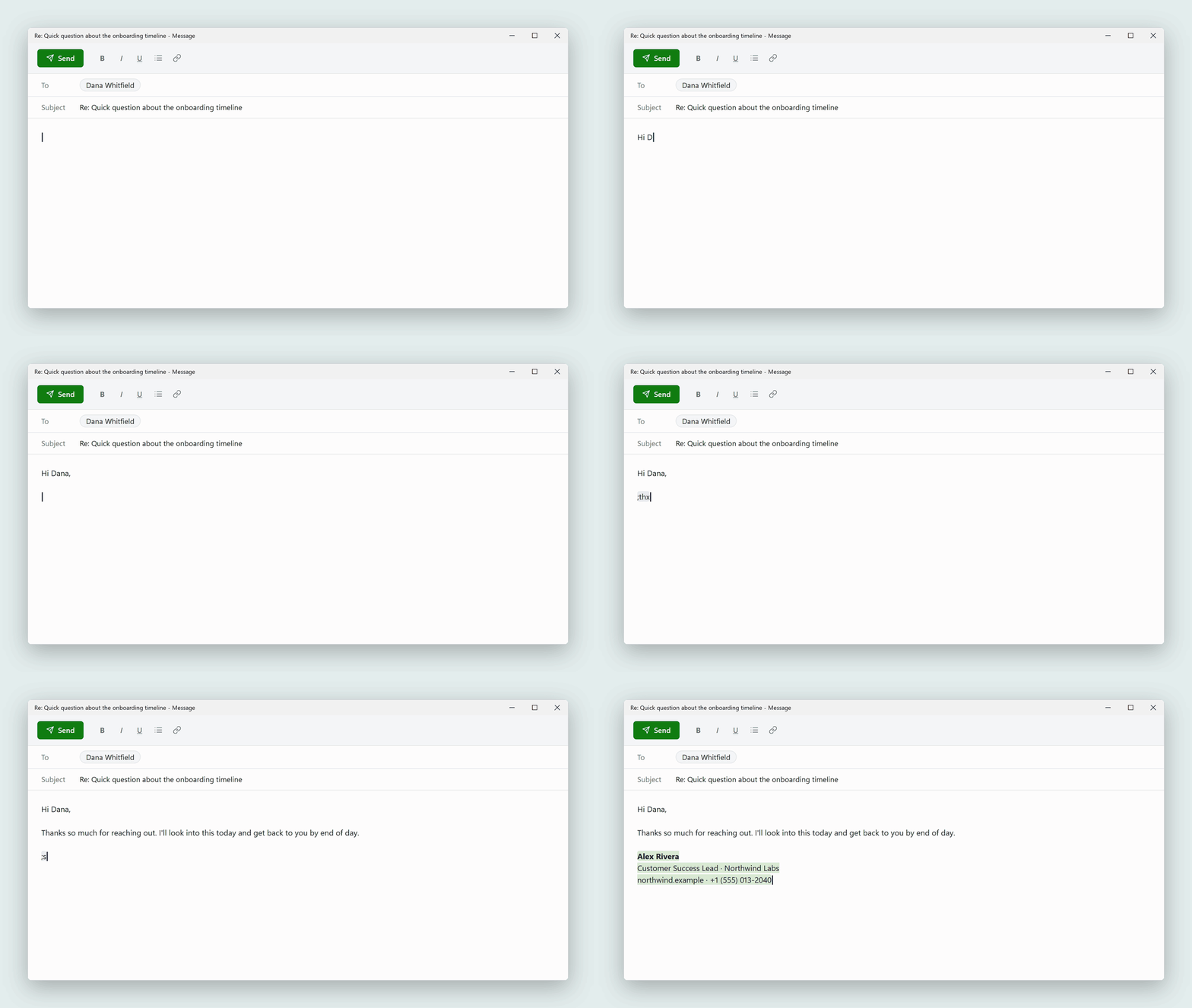
An email reply being written. The writer types ;thx and ;sig, and each short trigger instantly turns into a full thank-you message and an email signature.

Type ;thx or ;sig in an email and xpando writes the rest.

How it works

Three steps, then you forget it is there

xpando runs quietly in the background. You write a phrase once and reuse it everywhere.

  1. Save a phrase

    Open xpando, press New phrase and write what you want to reuse. Give it a short trigger of your own.

    ;tyThank you!

  2. Type the trigger

    In the apps you use every day, such as email, chat, a browser or a document, just type it like any other word.

    Sounds good, ;ty

  3. It expands

    The trigger is replaced by your full phrase on the spot, with today's date, your clipboard or formatting if you set them up.

    Sounds good, Thank you!

The app

A real app for your phrases

No config files to wrangle. Everything lives in one calm window with your folders, your phrases and the selected phrase side by side.

Find any phrase in a keystroke

Search looks through triggers, names and the text itself as you type, so you can find a phrase even when you can't remember its trigger.

  • Live results, no Enter key needed
  • Advanced mode adds operators such as folder:work or body:"kind regards"
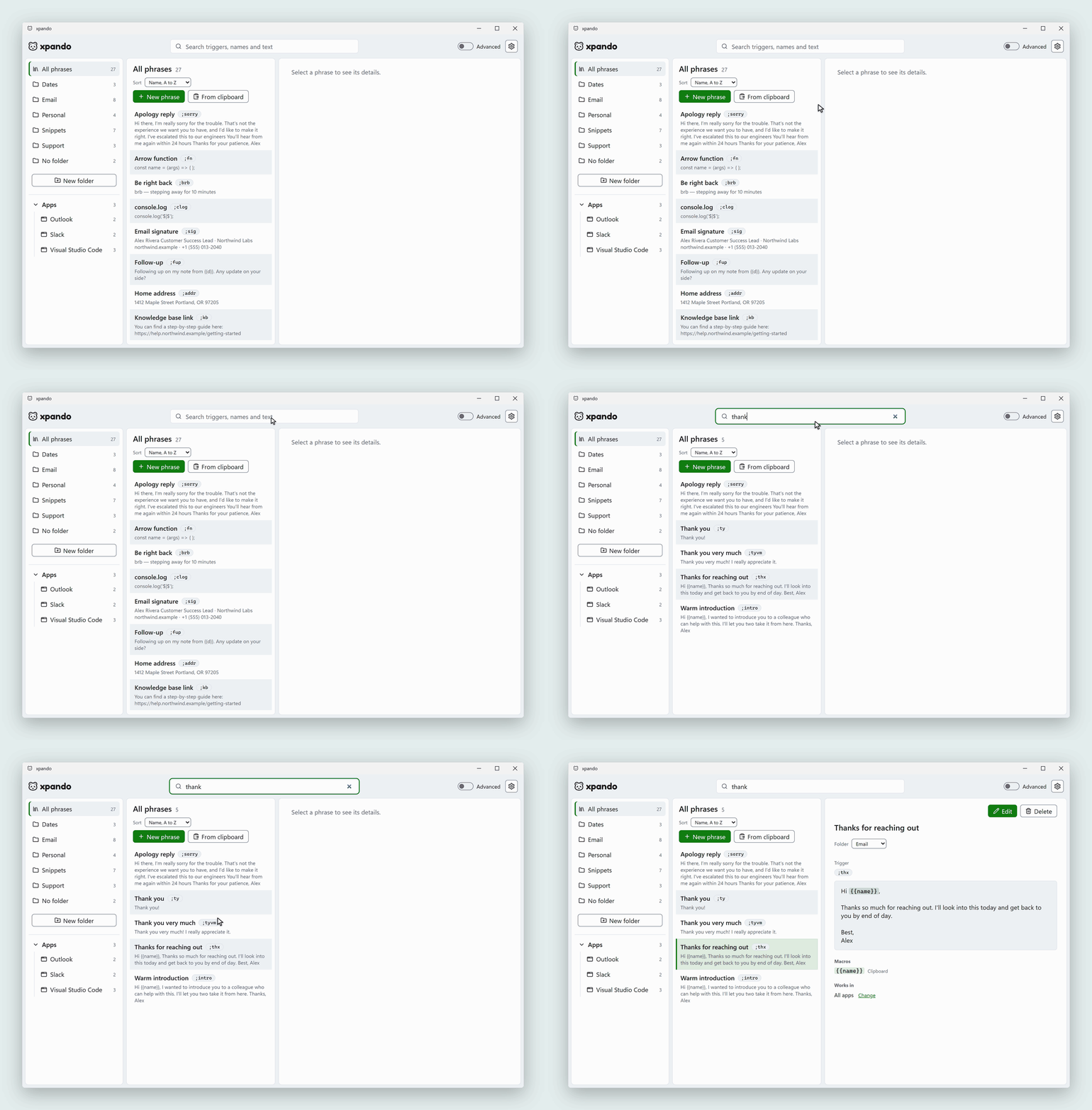
Typing in the xpando search box. The list of phrases narrows with every letter until only the matching phrases are left.

Search from any app

Press a shortcut anywhere (Alt + Space unless you choose your own) and a small search box opens. Type a few letters, press Enter, and xpando types the phrase right where you were. You never have to open the xpando window.

  • Finds phrases by what they say, their trigger or their name
  • Pick with the arrow keys, or press Alt + 1 to 8 for the first eight results
  • Type > to see commands: open xpando, restart it, quit it or show its logs
  • Pick your own keyboard shortcut in Settings, or turn it off
An email being written. The writer presses Alt and Space, a small search box opens over the email, they type thank, press Enter, and the phrase Thanks for reaching out is typed into the email.

Build a phrase in seconds

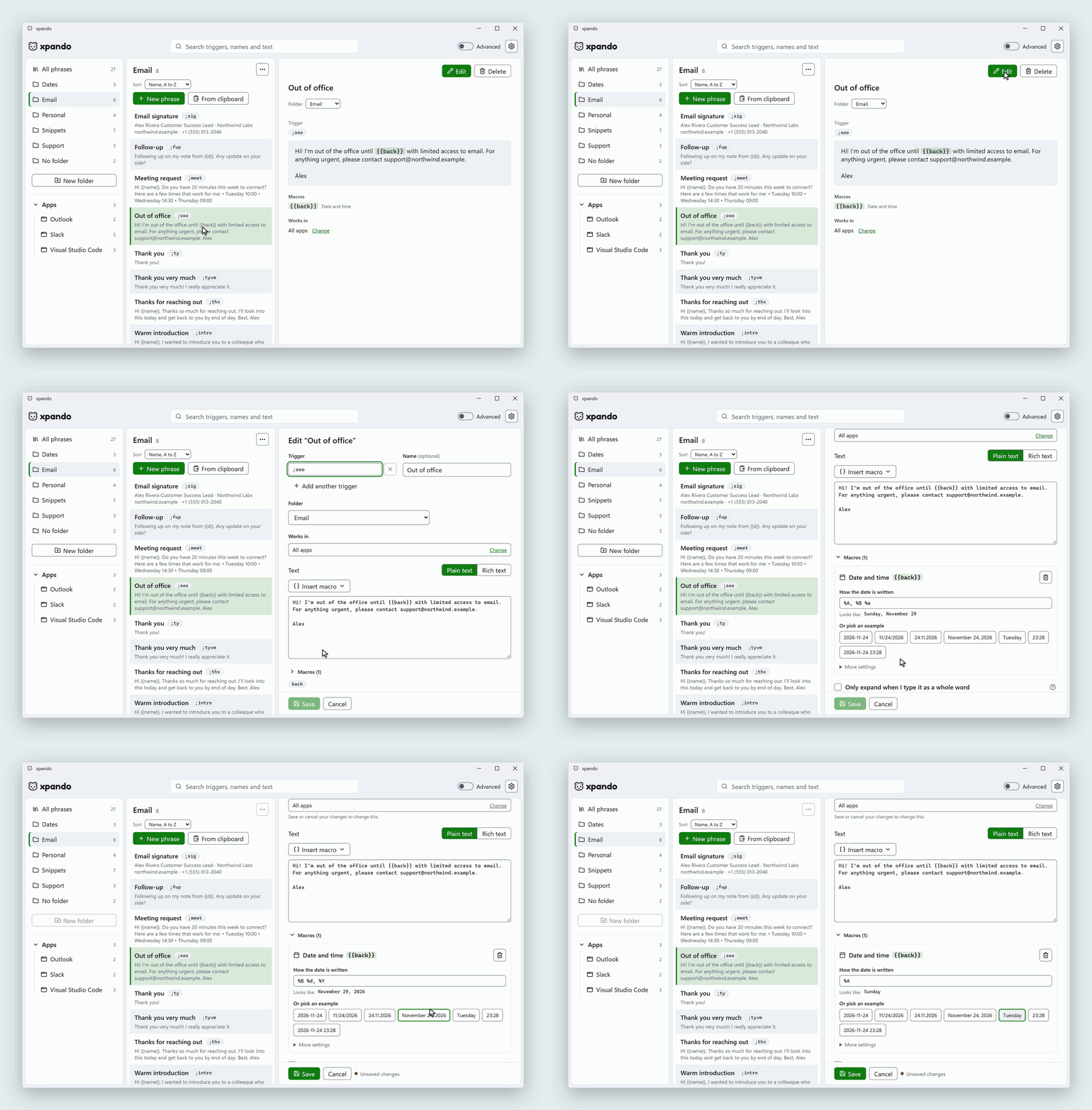
Type a name, a trigger and your text. Need today's date or whatever is on your clipboard? Pick it from the Insert macro menu and xpando fills in the details.

  • Date and time in any format you like
  • Pick from a choice list, or let xpando choose a random line
  • Decide where the cursor lands after the text is typed
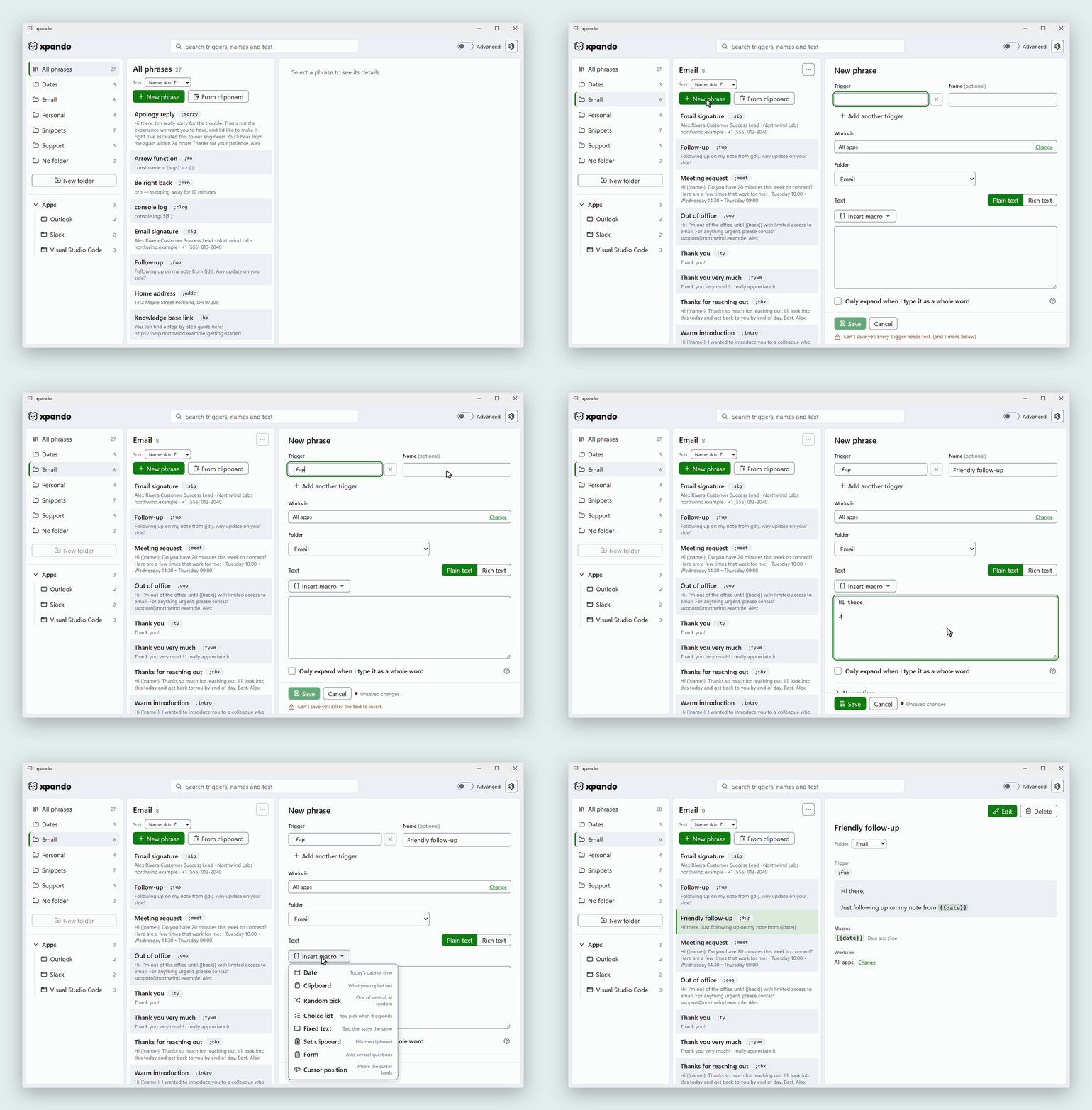
Creating a new phrase in xpando: entering a name and a trigger, writing the text and inserting a date macro.

Spots trigger conflicts for you

If two phrases use the same trigger, or one trigger is the beginning of another (like ;ad and ;addr), xpando flags it. You never have to wonder why the wrong text appeared.

  • A clear panel lists each conflict and what will happen
  • Open the phrase and fix it right from the list
The xpando window with a trigger conflicts panel at the bottom left, warning that the trigger ;ad is a prefix of ;addr.

Power tools, one switch away

Everyday use stays simple. Flip Advanced in the header when you want more: every match option, regular expressions and an editable YAML view with a safety net.

  • Edit the raw file with a check before anything is saved
  • espanso's own power features, like regular expressions and app rules, are still there
  • Nothing is hidden for good, it is just out of the way
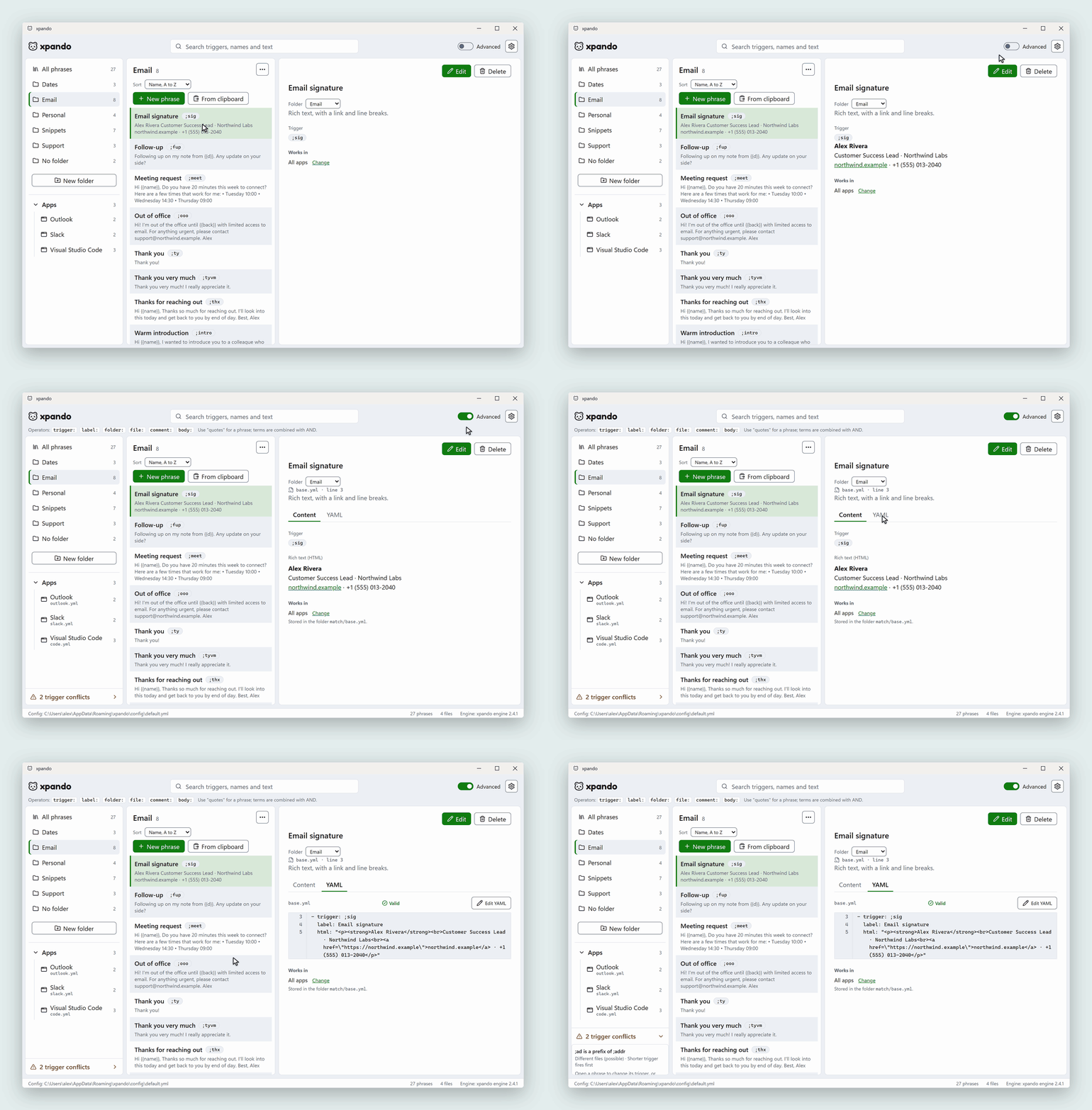
Turning on Advanced mode in xpando, which reveals extra options and an editable YAML view of the phrase.

See how much time it saves you

Open Your savings to see the typing xpando did for you, as hours and as money. Enter what you earn, hourly or salaried, and xpando works out what that time was worth.

  • Your typing speed is learned as you type, with nothing to set up, or enter it yourself
  • The phrases that save you the most time, ranked
  • Counts stay on your computer and hold none of your text. Turn it off any time
The Your savings window: nine hours twelve minutes saved this month, worth about 442 dollars, with a chart of expansions per day, the top phrases by time saved, and settings for pay and typing speed.

Made for real work

Works the way you do

Different apps, different tone, different needs. xpando adapts to each.

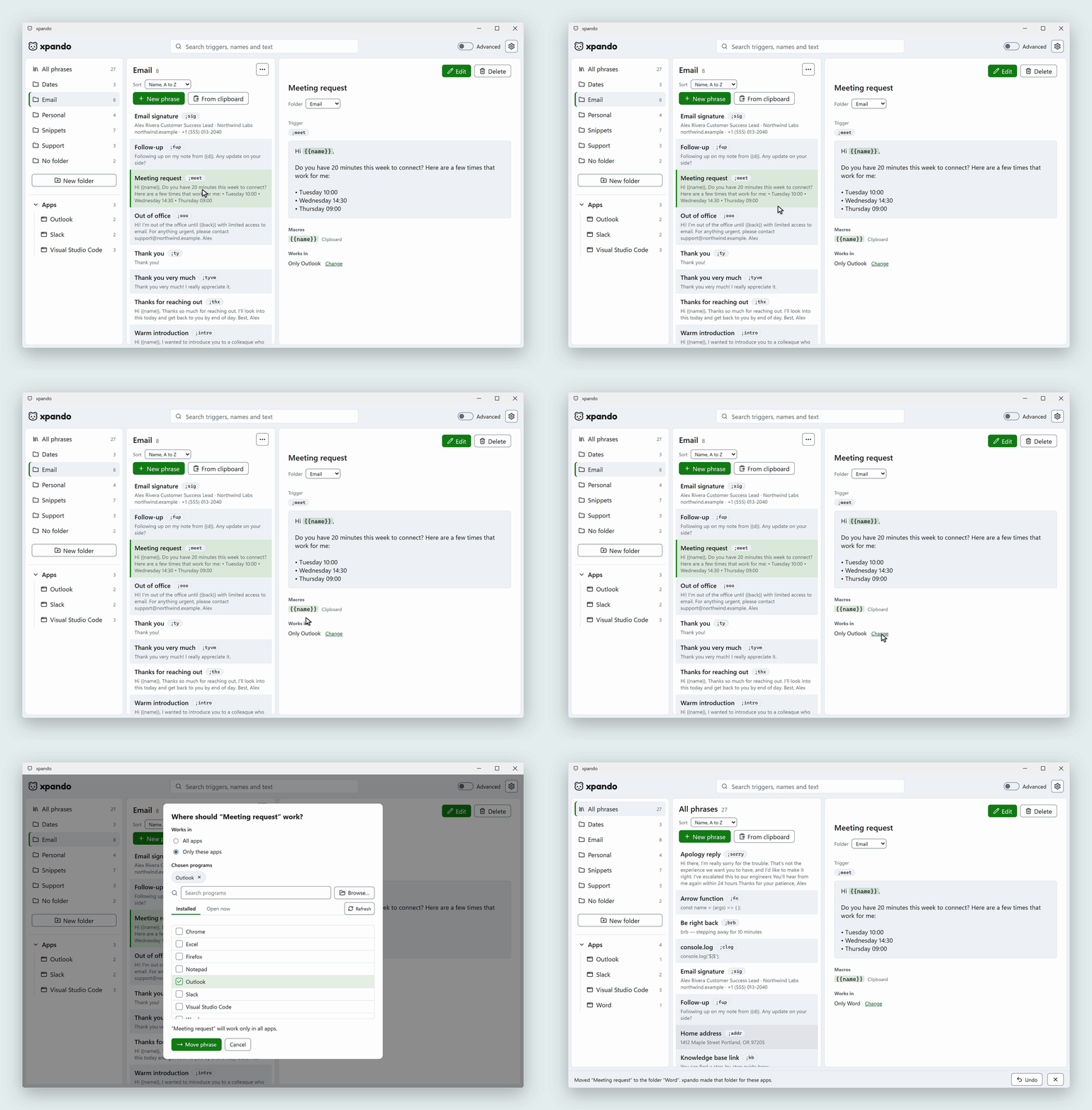
Choosing which apps a phrase works in. The phrase is limited to a few chosen programs.

The right phrase in the right app

Use Works in to limit a phrase to Outlook, Slack or Visual Studio Code, or let it work everywhere. Your ;fn stays out of your emails.

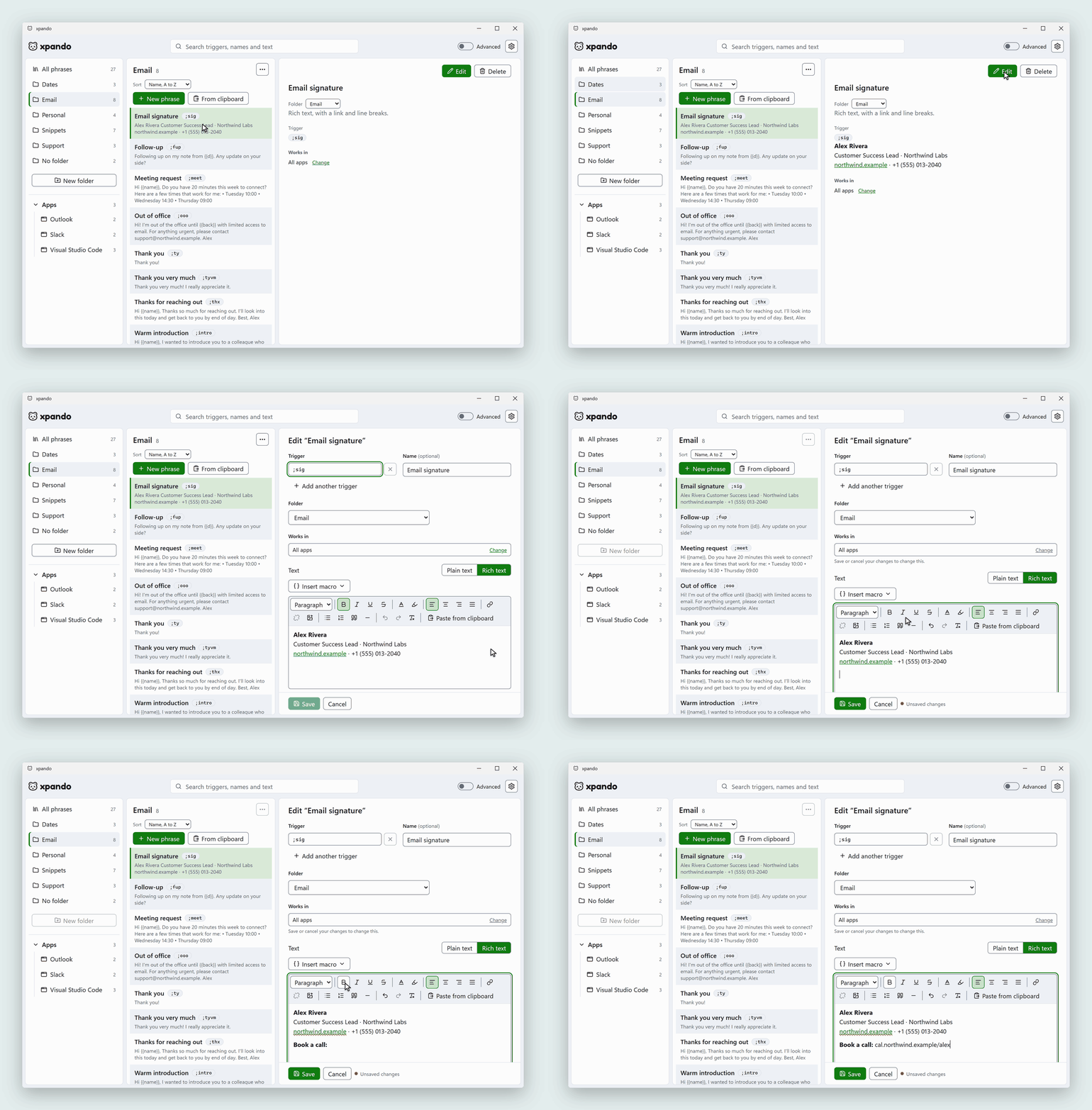
The rich text editor with a formatting toolbar, used to make a phrase with bold text, a list and a link.

Rich text, just like a document

Bold, lists, links and tables with a familiar toolbar. Paste your formatted email signature and it comes out looking the same.

The Insert macro menu in the phrase editor, offering the date, the clipboard, a random pick and a choice list.

Phrases that fill themselves in

Macros add today's date, paste your clipboard, pick a random line or ask you to choose from a list. Forms and more are in Advanced mode.

Your data, your rules

Your phrases are yours

No account, no cloud lock-in. Your phrases live in plain text files you can open, back up and take with you.

  • Plain YAML filesNo database and no secret format. Edit them by hand if you like; xpando keeps your comments and layout when it saves.
  • Choose your own folderPoint xpando at a folder in OneDrive, Google Drive or Dropbox to back up your phrases or use them on another computer.
  • Bring your espanso phrasesOne click copies your existing espanso phrases into xpando. It only copies; your original files are never changed.
  • Safe by designSaves are atomic, a one-time backup is kept, and xpando refuses to overwrite a file that changed underneath it.
xpando Settings showing a data folder inside OneDrive, a button to import phrases from espanso, start at sign-in, the search shortcut and update options.

Settings: your data folder, import from espanso, start at sign-in and updates.

Looks at home

Light or dark, it follows your system

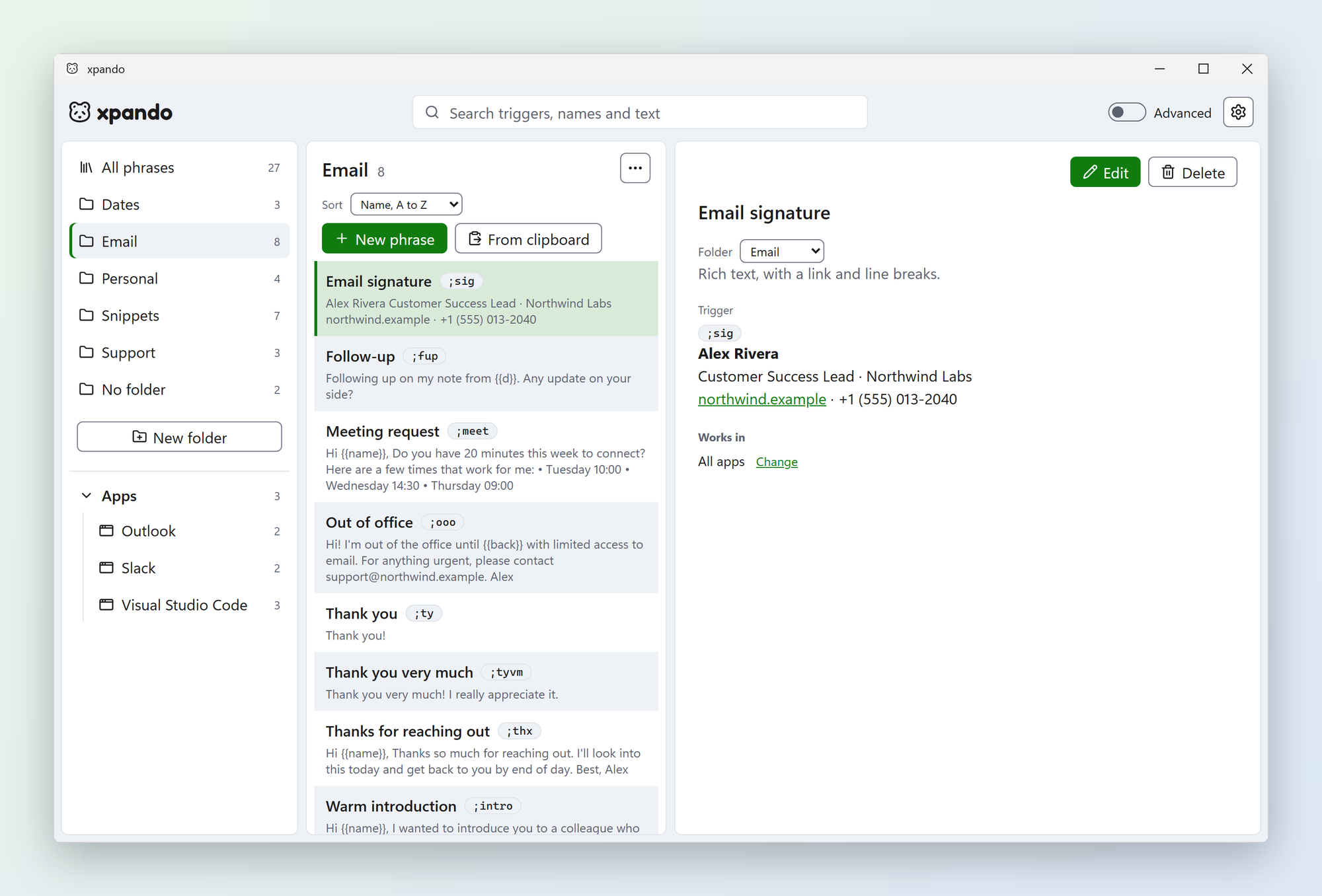
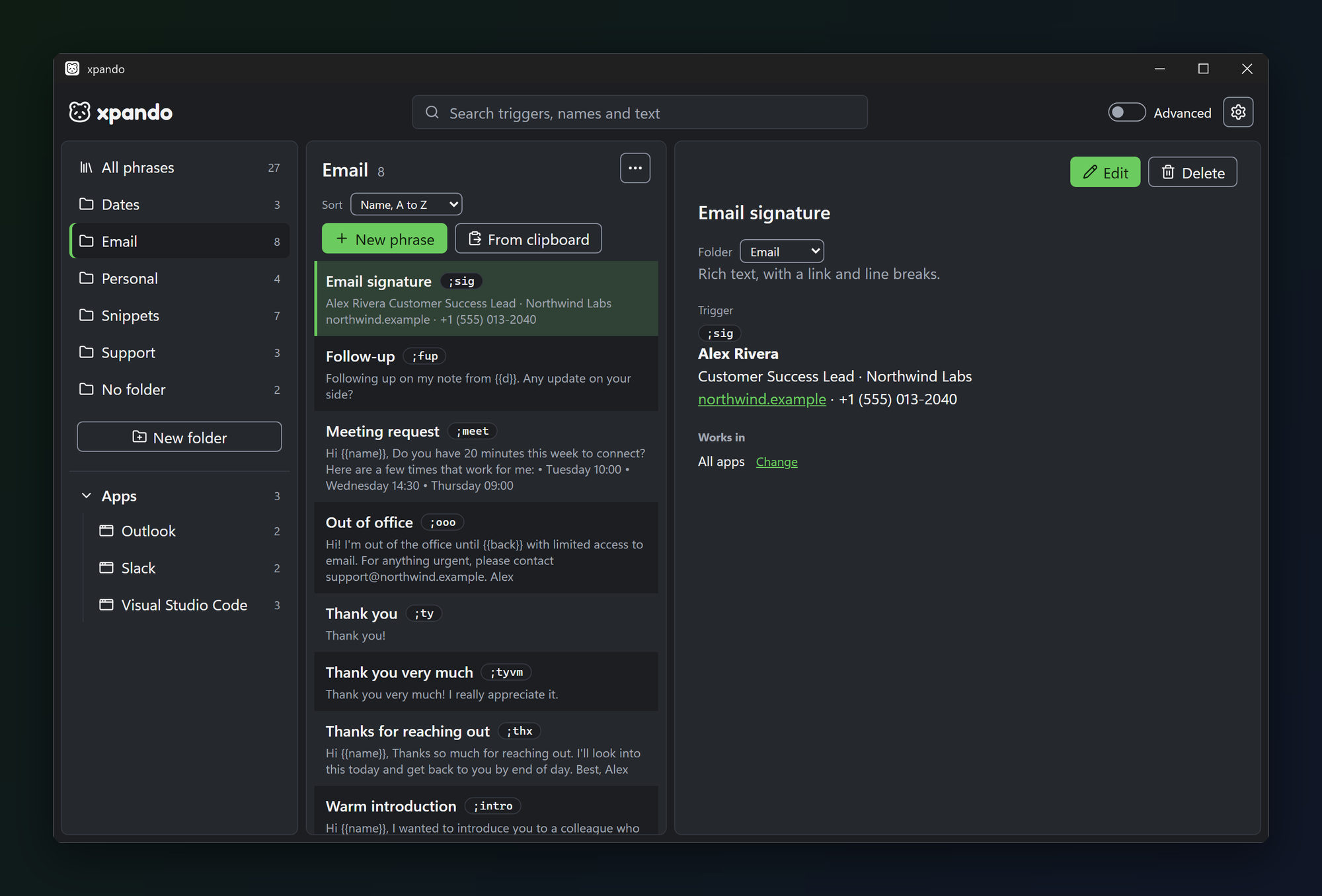
xpando has a clean Windows 11 look and switches theme with your computer, day and night.

The xpando phrase manager in the light theme.
Light
The xpando phrase manager in the dark theme.
Dark
The new phrase editor with fields for the name, trigger and text.
Start a new phrase
The Apps list in the sidebar with phrases that only work in Outlook.
Phrases that belong to one app
The rich text editor with its formatting toolbar.
Format text with a toolbar

And more

The small things add up

  • FoldersGroup phrases with labels like Email, Support or Snippets, and see them at a glance.
  • Starts with your computerTurn on start at sign-in and your phrases are ready whenever you are.
  • Updates you controlA daily check tells you when a new version is out. You choose when to install it. Betas are opt-in.
  • Espanso's strengths, plus morexpando's engine is espanso's, with additions of its own. Triggers, regular expressions and app-specific rules work as you would expect.

Questions

Good to know

Is xpando really free?

Yes. xpando is free and open source under the GPL-3.0 license, the same license as espanso. There is no account to create and nothing to buy. You can read and build the code on GitHub.

Does it work with espanso?

xpando is a fork of espanso. Its engine, the part that watches for triggers and types text, is xpando's own build of espanso's: most of it is the same, but not all. xpando adds things stock espanso does not have, such as a Set clipboard macro, and shows its own name in notifications and the tray. You do not need espanso installed; xpando ships with its own engine.

xpando keeps its own data folder and never touches your espanso files. On first start it offers to copy your existing espanso phrases over. Because xpando's engine is not identical to stock espanso, treat it as its own app rather than a drop-in replacement. Run only one of the two at a time, because both would expand the same triggers.

Is my data private?

Your phrases stay in files on your computer, or in a folder you choose. xpando does not send your text anywhere. The only thing it contacts is GitHub, once a day, to ask whether a new version exists. That check sends no information about you or your computer, and you can turn it off in Settings.

Which platforms are supported?

Windows is the primary platform and gets the most testing. macOS (a universal .dmg for Apple silicon and Intel) and Linux (.deb and .AppImage) builds are published too, but they get less hands-on testing, so expect more rough edges there. Wayland support on Linux is experimental.

Is it ready for everyday use?

xpando is in early development. It is built to be safe with your files, with atomic saves and a one-time backup before the first edit, but it is still young. Keep a backup of your phrase files, especially if you sync them, and please report anything odd.

How do I update?

xpando tells you when a new version is out, and you choose when to install it by pressing Update now. Updates are digitally signed and checked before they are installed, and your phrases and settings are not touched. You can also check by hand under Settings, Updates. To try early versions, turn on Get beta versions there.

How do I uninstall it?

Remove xpando like any other app: on Windows, open Settings, Apps, Installed apps and choose Uninstall; on macOS, drag xpando from Applications to the Trash; on Linux, remove the .deb with your package manager or delete the AppImage. Your phrases are ordinary files in your data folder, so copy that folder first if you want to keep them.

Can I keep my phrases in OneDrive or Dropbox?

Yes. In Settings, choose a folder in OneDrive, Google Drive, Dropbox or a similar service as your data folder. That backs up your phrases and shares them between computers. xpando shows a notice if the sync service leaves a "conflicted copy" behind. See the sync tips.

Download

Get xpando

Free, with no sign-up. Pick your system below.

Latest version: see the Releases page License: GPL-3.0

Windows

Installer for 64-bit Windows. The main platform, with the most testing.

Installer (.exe)

Download .exe

macOS

One universal download for Apple silicon and Intel Macs.

Disk image (.dmg)

Download .dmg

Linux, AppImage

Runs on most distributions. Make the file executable, then open it.

AppImage (.AppImage)

Download AppImage

Linux, .deb

For Debian, Ubuntu and similar. Installs with your package manager.

Debian package (.deb)

Download .deb

Windows may show a warning

Windows SmartScreen may say "Windows protected your PC" because the installer is not code-signed yet. If you downloaded it from this page or the official Releases page, choose More info, then Run anyway. Every installer is built from the tagged source by GitHub Actions.

First time on a Mac

The app is not signed or notarized by Apple, so the first time, right-click xpando in Applications and choose Open. macOS also asks for Accessibility and Input Monitoring permission, because xpando has to see what you type to notice a trigger.

Early versions

This is the latest finished version. Early test versions (betas) are listed on the Releases page, and xpando can offer them inside the app if you opt in.

Want to check your download? Compare its SHA-256 hash with SHA256SUMS.txt from the same release (on Windows, run certutil -hashfile <file> SHA256). See all releases.

Support

Help keep xpando going

xpando is free, with no ads, no account and no paywall. If it saves you time, a little support helps cover the time that goes into it, one time or every month. It is always optional.

No money? No problem. A star on GitHub, a bug report or telling a friend helps just as much.